OS Process Executor
Purpose of object
An OS process executor is used to execute an external operating system process. The channel call returns when the process terminates.
Creation
To create an OS process executor channel follow the steps described in the general description of Adapters
Configuration
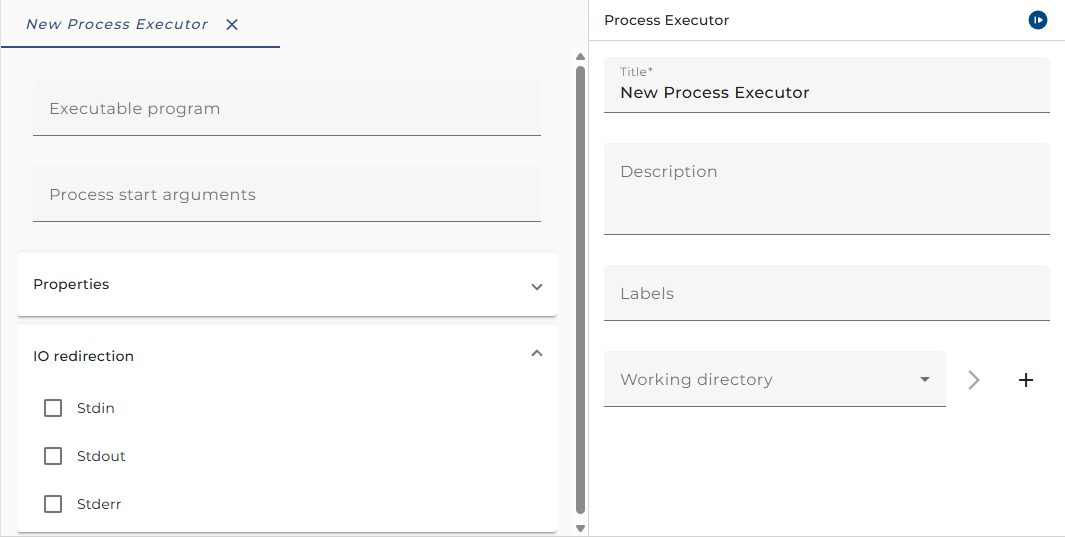
The dialog to configure the OS process executor looks like:
Step by Step
-
Properties - A set of properties that can be passed to the operating system process as command line arguments
-
Working Directory - An environment entry that points to the working directory of the process
-
Executable Program - The process that should be executed.This can be an absolute path to the executable file, a relative path or a simple file name. If it is a relative path or a filename, then the file is searched relative to the selected Directory. If it is a relative path, then the working directory is actually set to the directory where the executable file is located.
-
Parameters - This field defines the command line that is passed to the process at execution time. You can pass the values of the defined Properties using the syntax
$(<propertyname>), e.g. $(sourceFilePath). You can also add literal parameters as simple strings. Parameters can be quoted if you want to add whitespace in a parameter, e.g. "hello World". In quoted Parameters you can use \n, \r and \t to denote linefeed, carriage return and tab. -
Stdin - If this option is enabled, the standard input of the process can be generated by an Orchestra message. This message will be serialized and is passed as input to the started process. The message is passed with the parameter "MSG" to the channel.
-
Stdout - The output that is written by the process can be captured if this flag is active. The output will be de-serialized by the configured deserializer. The message is provided with the parameter "MSG" to the process.
-
Stderr - The error output that is written by the process can be captured if this flag is active. The output will be de-serialized by the configured deserializer. The message is provided with the parameter "ERRMSG" to the process.
Parameters
The following parameters are always defined:
| Parameter Name | Direction | Description |
|---|---|---|
DYNAMIC_WORKING_DIRECTORY | Ingoing | Optional parameter to overwrite Working directory environment entry. See EnvironmentEntryBuilder for details. |
MSG | Ingoing | Content of stdin. |
MSG | Outgoing | Content of stdout. |
ERRMSG | Outgoing | Content of stderr. |
ExitCode | Outgoing | Exit code of the external program. |
Additionally, there are parameters for the $ variables you defines as process start arguments.
How to call the channel
You can call the channel from the process model. Depending on the configuration you must provide input parameters and get output parameters.
Note: that there is always a Parameter MSG even if Stdin is not selected:
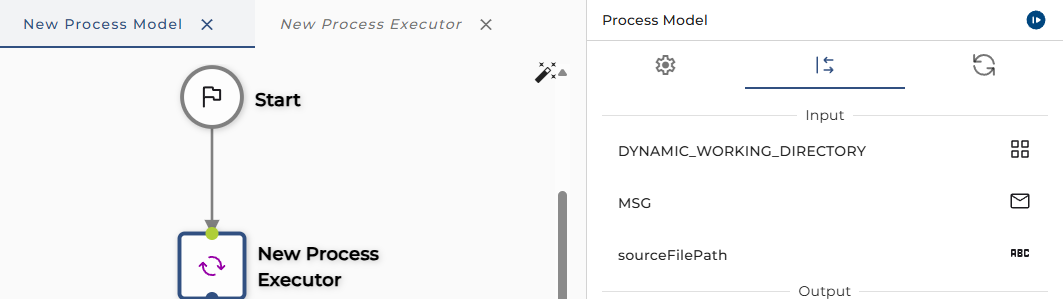
You can safely ignore the warning.
The call will return the ERRMSG if Stderr is configured. It will also return the parameter ExitCode containing the result state of the process.
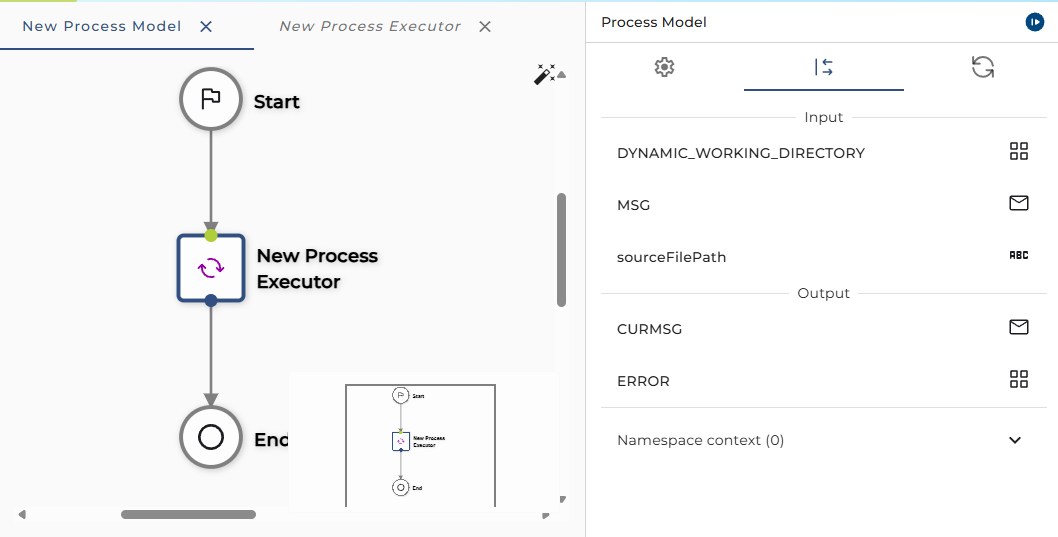
If the process execution was successful, ExitCode will be 0.